







The properties you will actually use
Most integrations are four or five lines. These are the settings behind them:
| Property | Does |
|---|---|
Name | Identifies the control; also the form field name the file GUIDs come back in |
MultipleFilesUpload | Allows several files to be selected and queued at once |
MaxSizeKB | Per-file size ceiling, enforced in the browser and again on the server |
AllowedFileExtensions | Extension allow-list, e.g. "*.jpg,*.png,*.pdf" |
MaxFilesLimit | Caps how many files can be queued in one go |
SaveDirectory | Writes files straight to a folder as they arrive |
ManualStartUpload | Queue files but wait for a button press before transferring |
InsertText | The label on the browse button |
ShowProgressBar, ShowProgressInfo | Progress bar and the bytes/time-remaining readout |
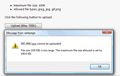
FileTooLargeMsg, FileTypeNotSupportMsg | Your own wording for rejection messages |
DropZoneID | Id of an element that should accept dropped files |
UploadUrl | Sends files to a handler page of your own |
The complete list, with every appearance and behaviour property, is in the class reference.
A complete working page
<%@ Language="VBScript" %>
<!-- #include file="aspuploader/include_aspuploader.asp" -->

<form id="form1" method="POST">
    <%
    Dim uploader
    Set uploader = new AspUploader
    uploader.Name = "myuploader"
    uploader.MultipleFilesUpload = true
    uploader.MaxSizeKB = 10240
    uploader.AllowedFileExtensions = "*.jpg,*.png,*.gif,*.zip"
    uploader.InsertText = "Upload File (Max 10M)"
    %>
    <%= uploader.GetString() %>
    <input type="submit" value="Submit" />
</form>

<%
If Request.Form("myuploader") & "" <> "" Then
    Dim list, i, mvcfile
    list = Split(Request.Form("myuploader"), "/")
    For i = 0 To UBound(list)
        Set mvcfile = uploader.GetUploadedFile(list(i))
        mvcfile.MoveTo Server.MapPath("uploads/" & mvcfile.FileName)
    Next
End If
%>
Client-side events
Define any of these functions on the page and the control calls them:
| Function | Fires when |
|---|---|
CuteWebUI_AjaxUploader_OnSelect(files) | Files are chosen, before transfer — return false to cancel the selection |
CuteWebUI_AjaxUploader_OnTaskComplete(task) | One file finished; task.FileName and task.FileSize are available |
CuteWebUI_AjaxUploader_OnPostback() | The whole queue finished — the usual place to submit the form |
CuteWebUI_AjaxUploader_OnError(msg) | A file was rejected or a transfer failed |
How each feature actually works
The guides go into the mechanism behind the bullet points above — useful whether or not you end up using ASP Uploader:
- Multiple file upload — the queue, and the server-side loop
- Progress bars — why Classic ASP cannot report progress by itself
- Validation — client checks for speed, server checks for safety
- Drag and drop — the
DropZoneIDproperty, and why no plug-in is involved
- Chunked and resumable transfer — how the size limits stop applying
- Background AJAX upload — keeping the page alive
- Pure ASP, no components — what that means for your hosting
- Upload security — the checklist before you go live
- Saving to a network share — UNC paths and the identity IIS actually uses
- Image upload and gallery — thumbnails and a browse page
- A file manager in Classic ASP — listing, renaming and deleting safely
- ASP.NET versus Classic ASP — what changes if you move stack
Download the free trial Try the live demos Browse all guides