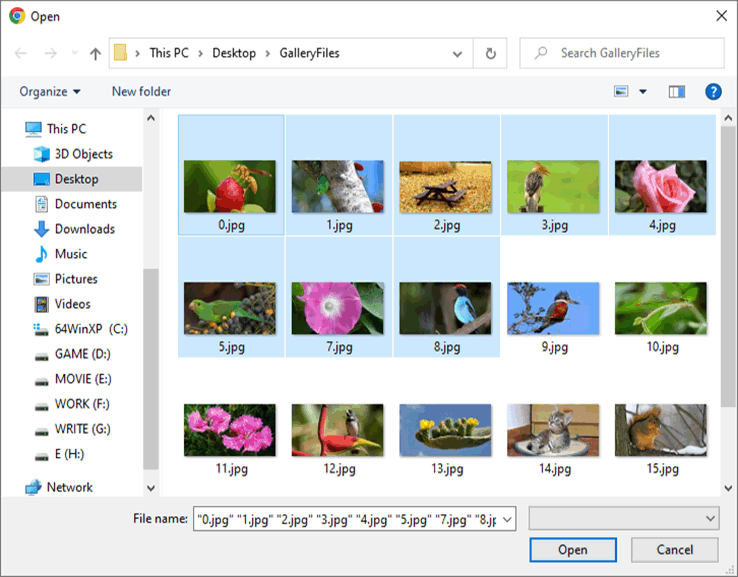
What the recording shows
It runs through one complete upload, which is four distinct stages. Each one is worth naming,
because each is a place where a plain <input type="file"> gives the user nothing:
- Selection. One dialog, several files. The user ctrl-clicks or shift-clicks a group in the file dialog. A standard file input takes one file per control, so a five-file upload means five controls and five trips through the dialog.
- The queue. Each file becomes its own row with its own status. Files can be added while earlier ones are still transferring, and any single file can be removed without disturbing the rest.
- Transfer. The progress bar reports bytes actually sent, plus an estimate of the time remaining. Classic ASP cannot produce this by itself — the page does not begin executing until the upload has already finished, which is why progress reporting has to come from the browser.
- Completion. Each finished file fires a client-side event, so the page can update itself — a thumbnail, an attachment row, an enabled submit button — with no reload.
The code behind it
The whole page in the recording is this:
<%@ Language="VBScript" %>
<!-- #include file="aspuploader/include_aspuploader.asp" -->

<form id="form1" method="POST">
    <%
    Dim uploader
    Set uploader = new AspUploader
    uploader.Name = "myuploader"
    uploader.MultipleFilesUpload = true
    uploader.MaxSizeKB = 10240
    uploader.InsertText = "Upload File (Max 10M)"
    uploader.AllowedFileExtensions = "*.jpg,*.png,*.gif,*.zip"
    %>
    <%= uploader.GetString() %>
</form>
There is no enctype and no file input, because the files do not travel with the form
post — each one uploads on its own background request and the form receives a short list of
identifiers instead. That is also why the final submit is instant rather than a second wait.
See it for real
A recording only proves so much. The demos below are running live on this server, and each one includes the complete ASP source for the page:
- Multiple file upload — the flow in the recording
- Single file upload — the simplest possible integration
- Manual start — queue first, upload on a button press
- Attachment list — webmail-style, no page reload
- Screenshots — the other features, captioned